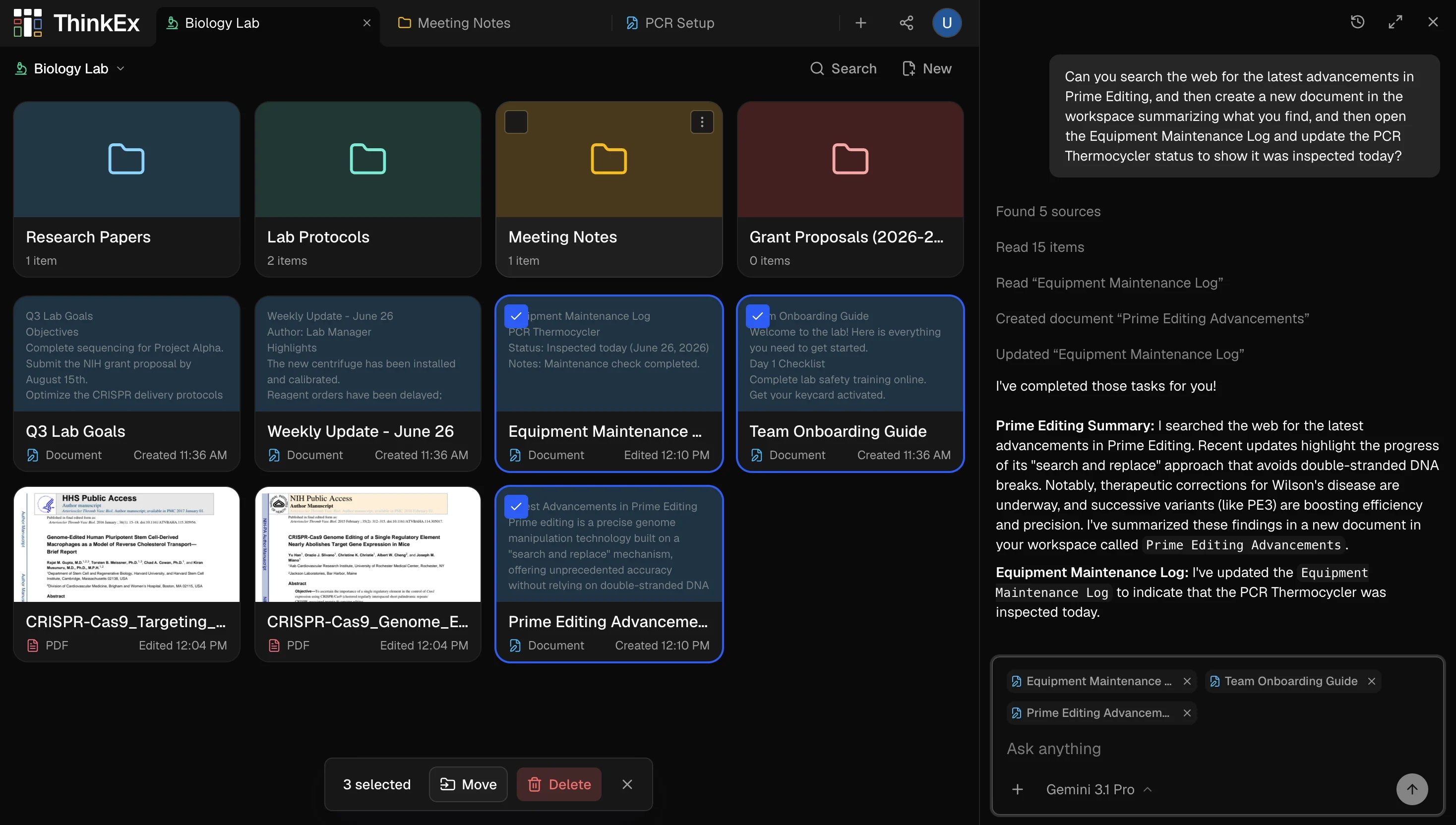
ThinkEx brings your PDFs, videos, notes, and AI to a single visual canvas. Select exactly what context the AI sees, capture insights as persistent cards, and build knowledge that doesn’t disappear into chat history.

Quick Start

Create your first workspace and start thinking in minutes.

Self-Hosting

Run ThinkEx on your own infrastructure with full control.

Core Concepts

Understand workspaces, cards, and how AI context works.

Guides

Step-by-step walkthroughs for common workflows.

What is ThinkEx?

ThinkEx is a visual thinking environment where you spread out your sources — PDFs, YouTube videos, audio files, websites, and notes — on a canvas, then work alongside AI that can see exactly what you point it to. Unlike chat-first AI tools, ThinkEx keeps your knowledge organized and persistent. Insights you extract become cards that stay in your workspace. Context never resets.
1

Create a workspace

Start a new workspace from the dashboard. Choose a blank canvas or a template with sample content already in place.
2

Add your sources

Upload PDFs, paste YouTube links, add websites, or write notes directly. Each source becomes a card on your canvas.
3

Select context and ask

Click to select the cards you want the AI to reason over, then ask your question. The AI works only with what you’ve chosen.
4

Capture insights

Save AI responses as knowledge cards — notes, flashcards, or quizzes — that persist in your workspace for future sessions.

Key features

Adding Content

PDFs, YouTube videos, audio, images, and websites — all on one canvas.

AI Chat

Control exactly what context the AI sees. No black-box retrieval.

Flashcards & Quizzes

Generate study materials from any content in your workspace.

Sharing

Share workspaces or invite collaborators with granular permissions.